


Admissions and Records
Verify Your Identity
Required Before Your CCCStart Submission Can Be Processed
Identity verification is part of the CCCStart student entry process. While getting started, you can verify online using CA DMV Wallet or ID.me, or select Verify Later. If you verify later or additional verification is needed, Fullerton College may send you a secure Socure verification link. In-person verification is also available through Admissions & Records.
What happens if I choose Verify Later?- Verify online or in person
- Verify Later? Watch your email
- Socure may be offered when verification is still needed
How Identity Verification Works
You will be prompted to verify after you create or sign in to your OpenCCC account and begin CCCStart for Fullerton College. You can verify while completing CCCStart or select Verify Later and complete verification afterward.
-
Get Started with CCCStart
Create or sign in to your OpenCCC account, select Fullerton College, and begin your CCCStart journey.
-
Choose What to Do About Identity Verification
Verify right away with CA DMV Wallet or ID.me, or select Verify Later and continue through CCCStart.
-
Submit Your Information
If you selected Verify Later, you can submit your information, but your submission will remain on hold until identity verification is completed.
-
Complete Any Remaining Verification
If verification is still needed, check your email. Fullerton College may send you a secure Socure verification link. In-person verification is also available if online verification does not work for you.
If you choose Verify Later: your submission will remain on hold until identity verification is complete. Watch the email address you used in CCCStart for verification instructions.
Choose How to Handle Verification in CCCStart
In CCCStart, you can verify immediately with CA DMV Wallet or ID.me, or choose Verify Later and complete identity verification afterward.
CA DMV Wallet
Verify while completing CCCStart using California's mobile Driver's License (mDL) in the CA DMV Wallet app.
Best if you:
- Have a valid California Driver's License or ID
- Have a compatible smartphone
- Already use or can create a MyDMV account
ID.me
Verify while completing CCCStart by completing ID.me's online identity-verification process.
Best if you:
- Cannot use CA DMV Wallet
- Live outside California
- Have identity documents accepted by ID.me
Verify Later
Finish and submit your CCCStart information first, then complete identity verification afterward.
Choose this if you:
- Want to finish CCCStart before verifying
- Cannot complete DMV Wallet or ID.me right now
- Want to use the verification instructions sent afterward
- Want to use the Socure, usually the simplest way to complete verification online
Selected Verify Later or received an identity-verification email? Fullerton College may provide a secure link to verify online with Socure. If you receive this option, it is usually the simplest way to finish verification online. Learn how Socure verification works →
CA DMV Wallet
How to Get Your mDL
The CA DMV Wallet is part of a free and voluntary pilot program. To enroll:
- Check your device compatibility
- iPhone XS or later with iOS 17.5 or later
- Android 9 or higher with NFC hardware
- Download the CA DMV Wallet app from the Apple App Store or Google Play
- Log in to your MyDMV account or create one
- Scan your physical California DL or ID card using the app
- Complete the verification process when prompted in CCCStart
Time to Complete
Roughly 5 to 10 minutes for initial enrollment and verification.
Don't Have the App Yet?


Video: Setting Up CA DMV Wallet
Official CA DMV tutorial on setting up your mobile driver's license.
Good to Know
- Keep carrying your physical license. The mDL is a pilot program with limited acceptance.
- Refresh regularly. Keeping the app current helps avoid verification problems.
- Privacy protected. You control when information is shared from your device.
No California Driver's License or ID? Learn About AB 60
California's AB 60 program allows some individuals who cannot provide proof of legal presence in the United States to obtain a California driver's license or state ID card.
To qualify for an AB 60 driver's license:
- Provide required identity and California residency documents
- Complete the required DMV testing
- Meet applicable age and driver education requirements
For an identification card:
- Provide required identity documentation
- Provide proof of California residency
Learn more about AB 60 (opens in new tab) →
You do not have to wait for a DMV appointment to continue. If you later receive a Socure verification link, you can try that option, or you can verify in person at Admissions & Records.
ID.me
About ID.me
ID.me is available in CCCStart as an online identity-verification method.
Benefits
- Lets you complete verification while you are in CCCStart
- Works for students who cannot use the CA DMV Wallet
- Supports multiple types of identity documents
Video: How Verification Works
A walkthrough of the ID.me verification process.
Acceptable Documents for ID.me
Identity-document requirements can vary by verification path. Review ID.me's current document guidance before you begin.
See ID.me's current list of accepted identity documents (opens in new tab) →
Having trouble with ID.me? You do not need to keep retrying indefinitely. You can select Verify Later and follow the instructions sent afterward, or use in-person verification.
Understanding “Verify Later”
You Can Finish CCCStart First
Selecting Verify Later lets you finish and submit your information before completing identity verification. Your submission will remain on hold until verification is successfully completed.
What happens next
- Finish CCCStart to submit your information to Fullerton College.
- You will start to receive follow up emails to the email address provided in CCCStart.
- If Fullerton College sends you a secure Socure verification link, use that link to complete verification online.
- If you cannot complete online verification, visit Admissions & Records for in-person assistance.
Check your email for an easier online verification option. If you receive a Socure verification message, we recommend using that secure link before making a trip to campus. See how Socure works →
Already verified with CA DMV Wallet or ID.me? You generally do not need to complete another verification method unless Fullerton College contacts you with additional instructions.
Verify Online with Socure
If you selected Verify Later, or if additional identity verification is needed after you submit your CCCStart information, Fullerton College may send you a secure Socure verification link. If you receive this option, it is usually the simplest way to complete verification online.
Why Am I Being Asked to Use Socure?
Some CCCStart submissions require identity verification after submission. If that happens, Fullerton College may send you a secure email link to complete verification through Socure.
You do not need to search for Socure or create a separate account on your own. Start from the secure verification link provided in the message you receive.
Only use Socure when you receive a verification link or Fullerton College directs you to use it. If you already verified successfully in CCCStart and have not received additional instructions, no action is needed.
What to Expect
- Check your email. Look for the identity-verification message sent after your CCCStart information is submitted.
- Open the secure verification link. Use the link in the message to begin.
- Follow the Socure prompts. You may be asked to photograph an identity document and complete an identity check.
- Submit the verification. Follow the on-screen confirmation and any additional instructions.
If Socure Does Not Work for You
Contact Admissions & Records or visit us in Building 2000. We can explain the available verification options and help you determine the next step.
Socure Verification Walkthrough
Use this walkthrough to see what the Socure verification process looks like.
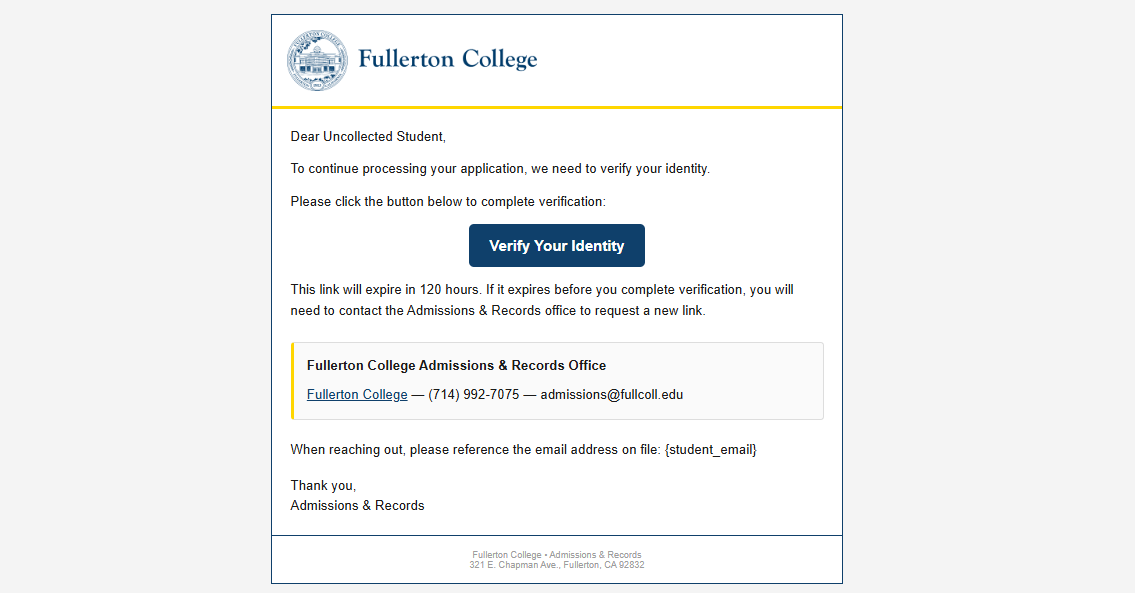
Open the Fullerton College Verification Email
If identity verification is still needed, Fullerton College will send you an email with a Verify Your Identity button. Use the secure link in that message to begin.
The verification link expires after 120 hours. If it expires before you finish, contact Admissions & Records to request a new link.
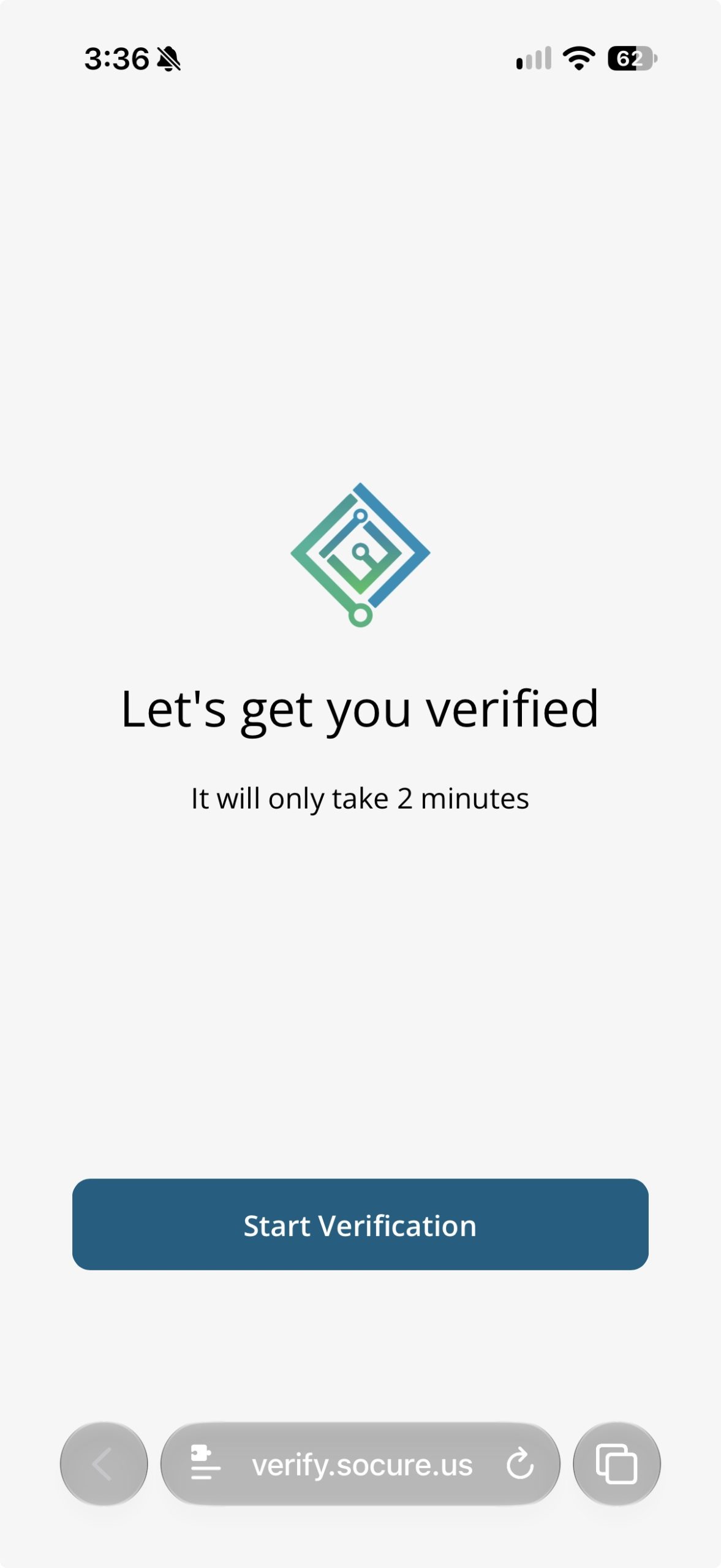
Start Socure Verification
The secure link opens Socure. Select Start Verification to continue. Socure indicates that the verification itself should take about two minutes.
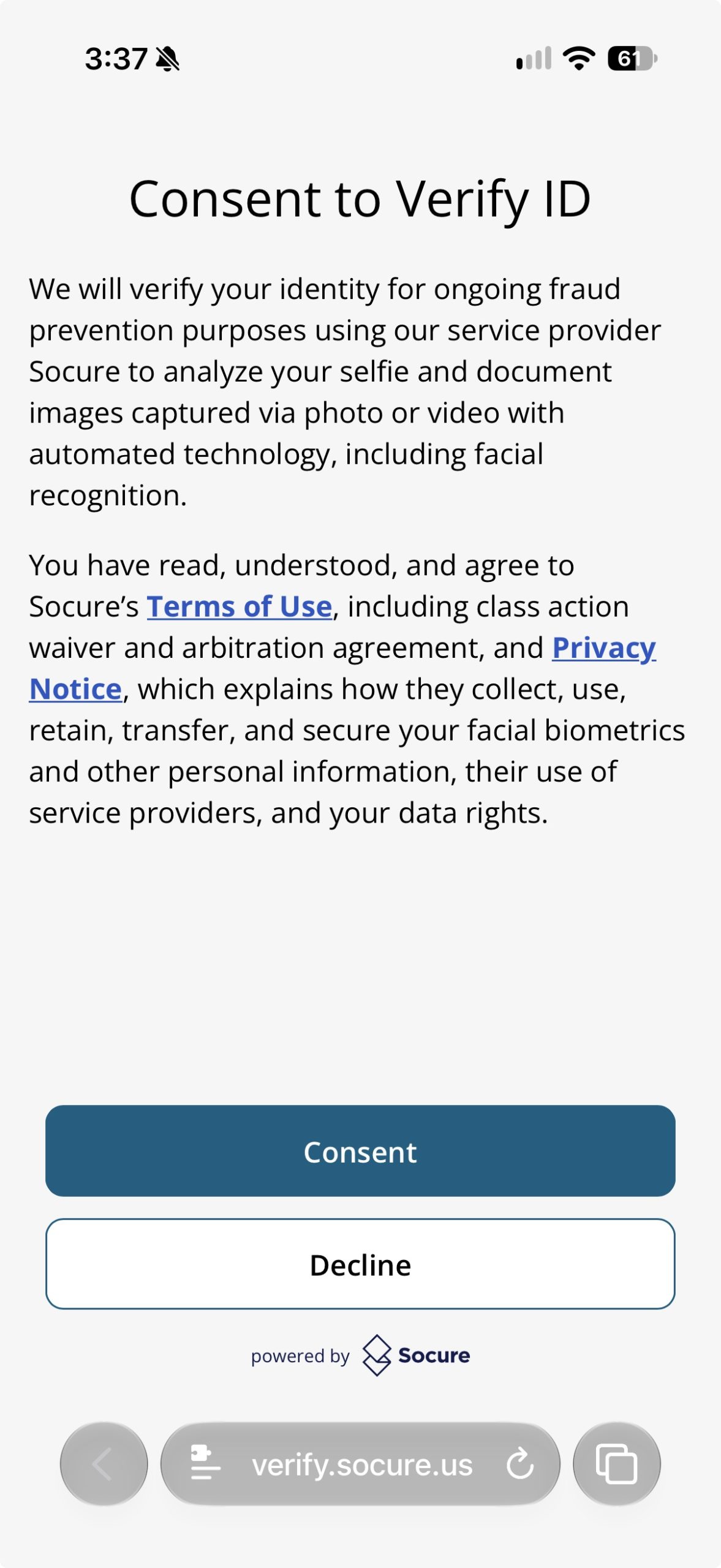
Review the Consent Information
Socure will show information about its identity-verification process, including the use of selfie and document images and automated technology. Review the Terms of Use and Privacy Notice shown on the screen before deciding whether to continue.
Select Consent to continue with Socure, or Decline if you do not wish to proceed.
Complete the Requested Identity Checks
Follow the Socure prompts to provide the requested identity document and complete any photo or selfie verification shown on your device.
When you finish the Socure portion, you will see a confirmation screen stating that your verification is complete.
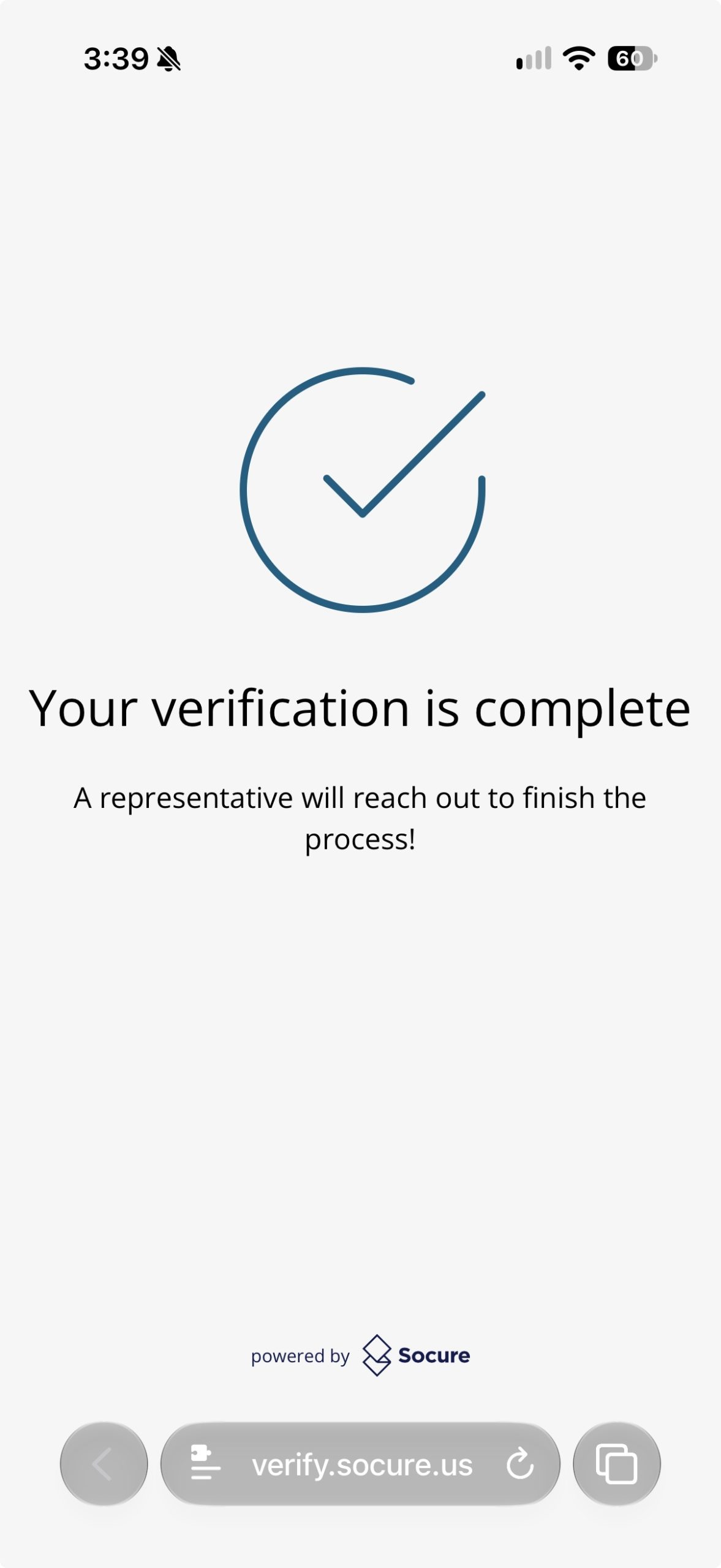
Important: reaching this Socure screen means you have completed the Socure portion of the process. Continue to monitor your email for Fullerton College's confirmation that your identity verification has been approved.
Watch for Fullerton College Confirmation
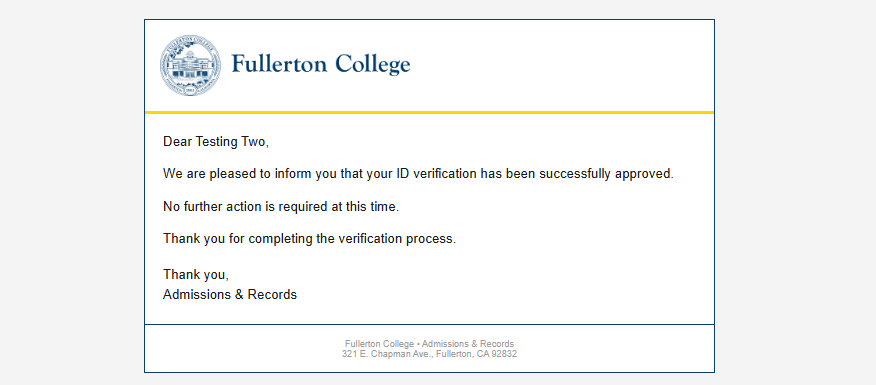
Fullerton College will send a separate confirmation email after your identity verification has been approved. When that message says No further action is required at this time, you are finished.
In-Person Verification
Verify at Admissions & Records
If you cannot complete online verification, visit Admissions & Records in Building 2000. This is a good option if DMV Wallet, ID.me, or Socure does not work for you.
What to Bring
- A photo ID, such as a driver's license, state ID card, passport, permanent resident card, consular ID, or other acceptable photo identification
- Your CCCApply or CCCStart confirmation information, or Student ID number if one has already been issued
Where to Go
Admissions & Records Office, Building 2000, Fullerton College. Check our Hours & Services page (opens in new tab) for current hours.
Time to Complete
A few minutes once you're at the counter. No appointment needed.
Please note: identity verification cannot be completed over Zoom, by phone, or by email.
Your Privacy & Security
Each online verification provider has its own privacy and data-handling practices. Review the provider's current privacy information before you begin.
CA DMV Wallet
The CA DMV Wallet is designed to give you control over when information is shared from your device.
ID.me
ID.me provides privacy and account controls for information used during its verification process.
Socure
Socure provides identity-verification and fraud-prevention services. If Socure verification is offered to you, review the privacy information included with the verification process before submitting your information.
Prefer Not to Verify Online?
If you do not want to use an online identity-verification method, contact Admissions & Records about in-person verification.
Ready to Get Started?
Get started with CCCStart for Fullerton College. You can verify while completing CCCStart or choose Verify Later and complete verification afterward.
Get Started at Fullerton College → (opens in new tab)Free • Mobile-friendly • You can complete identity verification now or later
Need Help?
Support is available from the verification provider and from Admissions & Records.
- CA DMV Wallet: CA DMV Wallet Help (opens in new tab)
- ID.me: ID.me Help Center (opens in new tab)
- Socure: Start with the secure link and instructions in the verification email you received
- In-person verification: Building 2000, or call (714) 992-7075
Questions about Fullerton College admissions?
Contact Admissions & Records → (opens in new tab)